Internal Workflow Tool / Designed & built by Seed Script Digital
SmartQueue
Make feedback actionable.
Give every issue a next step.
An internal feedback triage workspace that turns incoming comments into categorized, reviewable work, with summaries, reviewer notes and reporting for SaaS teams.
Build something like this Explore the project- Platform
- Web Application
- Built for
- Support teams & product leads
- Core disciplines
- Workflow design, full-stack & AI integration
- Approach
- Working internal MVP
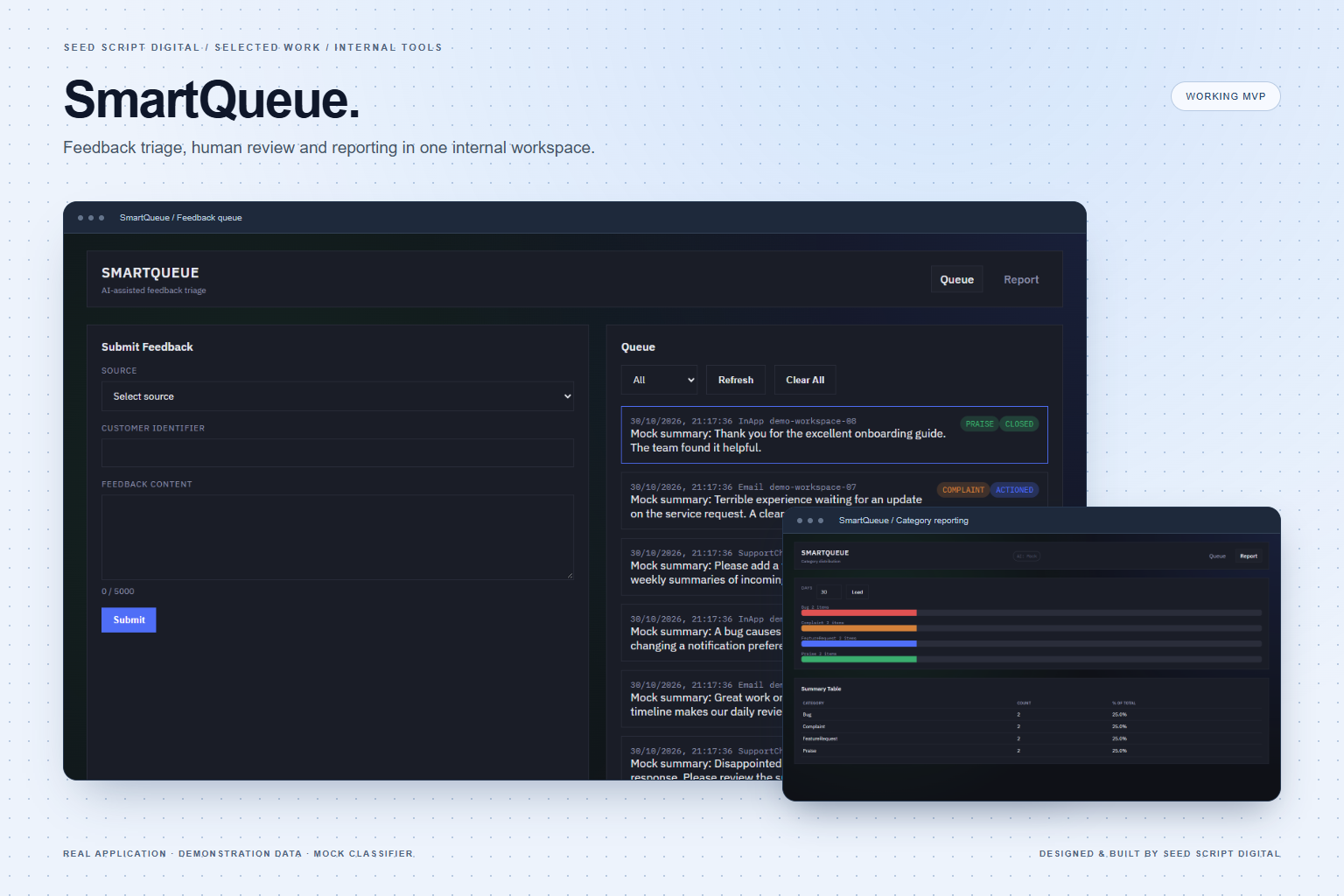
The project
From scattered feedback to structured follow-through.
Bugs, product ideas, complaints and praise often arrive as unstructured messages. Without a shared review process, teams spend time sorting comments before they can decide what needs attention.
SmartQueue brings submissions into one workspace. Categorization and summaries support the first pass, while reviewers keep control of the category, notes and status. That context makes a handoff to engineering, product or support easier to follow.
This case study covers the implemented MVP. Source labels record where feedback originated; connected email ingestion, automated team assignment and outbound notifications are future integrations. The screenshots demonstrate the real application with synthetic records, not customer data or measured business results.
Capabilities
What we built.
A connected application shaped around the work it needs to support.
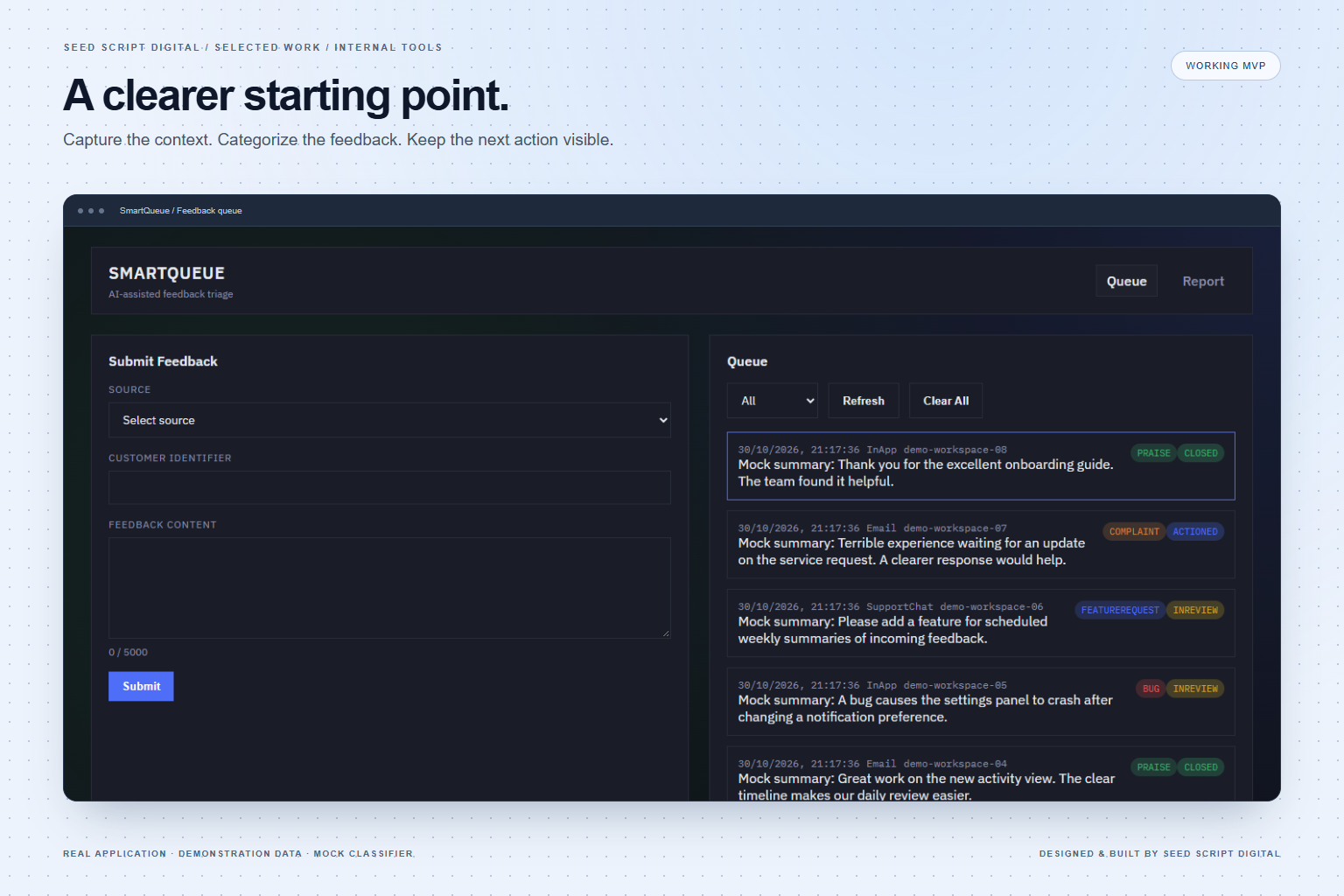
One queue. A clearer starting point.
A submission flow and API collect feedback with its source and customer reference. Reviewers see the summary, category and status together, instead of piecing the context back together across separate messages.
- Email, in-app and support-chat source labels
- Bug, feature request, complaint and praise categories
- Status filtering for a focused review queue
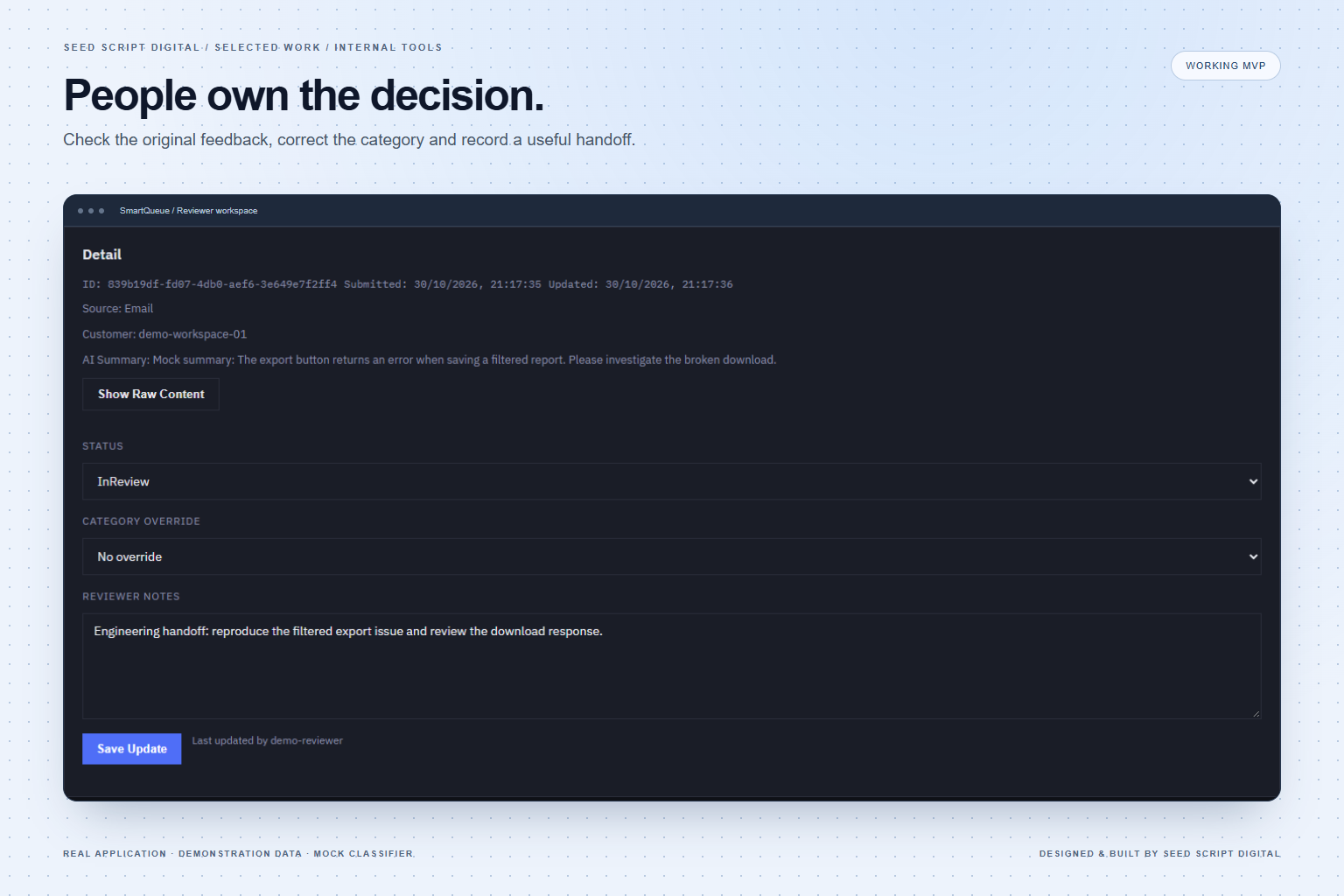
AI supports the review. People own the decision.
Reviewers can inspect the original feedback, correct a classification and record the next action. The workflow moves from New to In Review, Actioned and Closed, with the reviewer recorded on an update.
- Original feedback alongside its generated summary
- Category overrides and reviewer notes
- Forward-only status updates with handoff context
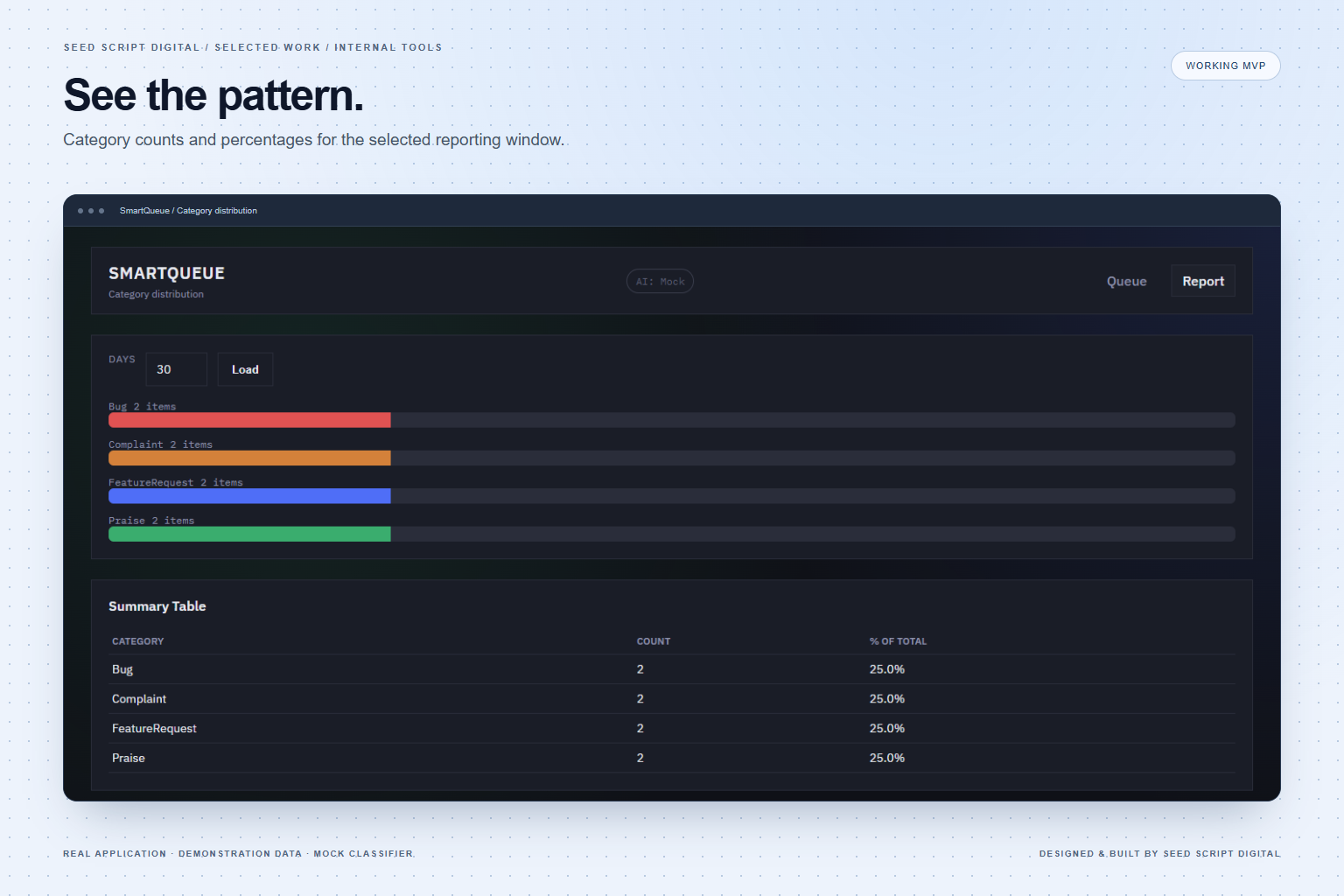
See the pattern behind the individual messages.
A category distribution view gives team leads a shared picture of the selected reporting window. Counts and percentages make recurring types of feedback easier to discuss when planning the next improvement.
- Configurable reporting window
- Category totals and percentage breakdown
- Daily category buckets available through the API
Connected workflow
How it comes together.
Each step connects the application's capabilities to a practical working flow.
- 01
Capture the context
Submit the original comment, source and customer reference through the form or API.
- 02
Summarize and categorize
The optional AI integration provides a first pass. A deterministic mock supports local demonstrations, and unavailable AI leaves the item ready for manual review.
- 03
Review and hand off
A reviewer checks the category, records notes for the relevant team and moves the item through its status workflow.
- 04
Look for patterns
Team leads review category distribution to inform the next product or service discussion.
Engineering & scope
Purpose-built around
the workflow.
An internal feedback triage workspace that turns incoming comments into categorized, reviewable work, with summaries, reviewer notes and reporting for SaaS teams.
- Backend
- ASP.NET Core 8 Minimal API
- Interface
- Vue 3, Vue Router & custom CSS
- Data
- Entity Framework Core & SQLite
- Intelligence
- Optional OpenAI classification with output validation and fallback
- Scope
- Working internal MVP; demo identity, not production authentication
- Next stage
- Production identity, data protection controls and connected team routing before a wider rollout
Your next project
Software that fits
the way you work.
Let's connect your brand, your systems, and the work your team does every day.